Job Log Export
Overview
The Job Log feature allows users to export and review detailed log files for their agent jobs. This tool is designed to help all standard users troubleshoot and monitor agent behaviors.
How to Access Job Logs
To export a log for a specific job, follow these steps:
-
Navigate to an agent's job list or access the jobs dashboard on your account.
-
Locate a job that is in a Done, Paused, or Error state. Note that the job must not be in a "ready" state to use this feature.
-
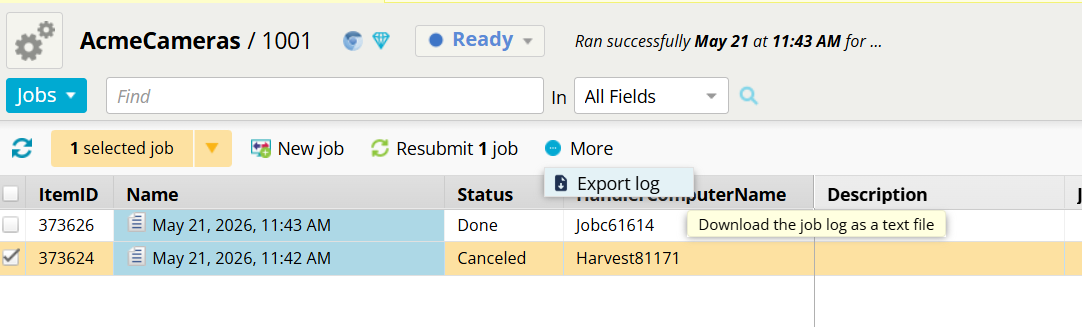
Select the desired job, open the More dropdown menu at the top of the interface, and click Export log.
-
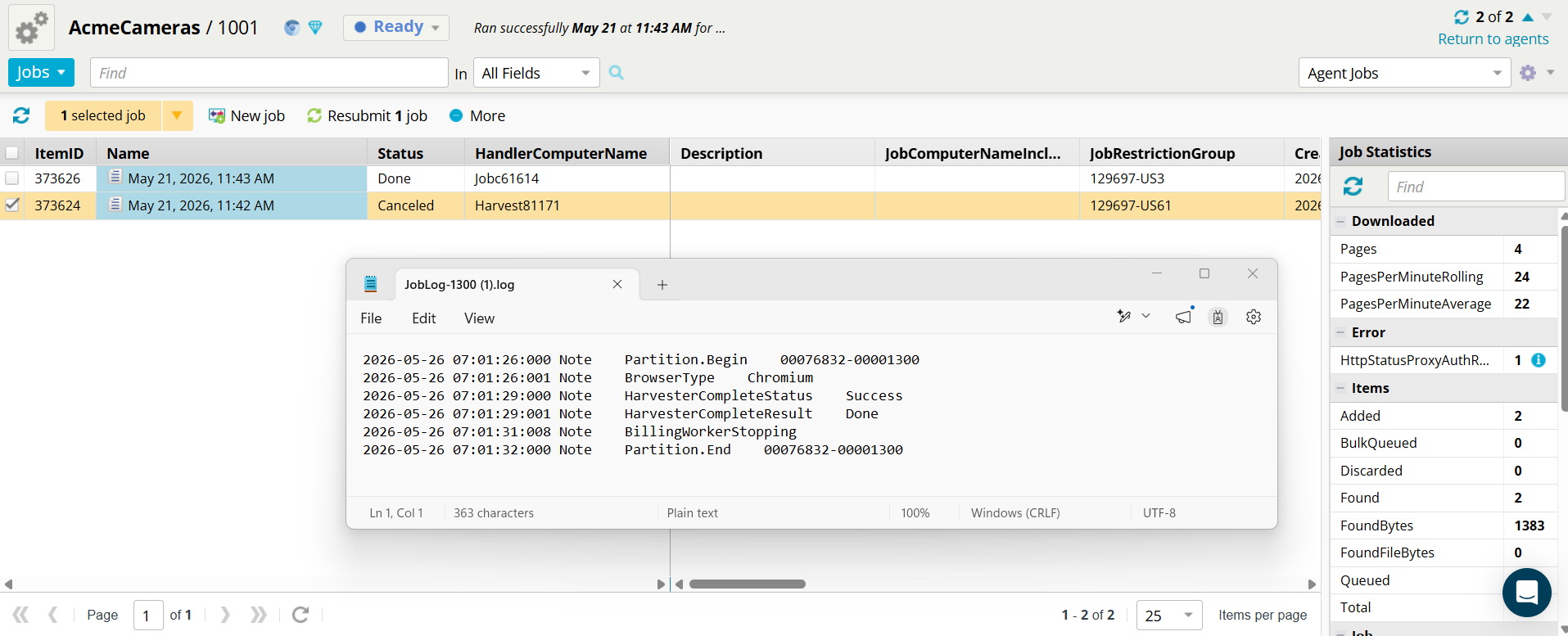
A log file will download, displaying log lines that contain expected job notes, errors, or troubleshooting data.
Role-Based Visibility and Security
To protect sensitive system information, the contents of the exported log file are automatically filtered based on the logged-in user's permission level.
Standard / Self-Serve Users: Receive a sanitized version of the logs. Sensitive system-level information is actively filtered out, though Mozenda may adjust these filters over time based on user feedback to expose more data if necessary.
Log Retention
Job logs are currently retained and available for download for **30 days **following the job's creation date.
Advanced Usage: Custom JavaScript Logging
Users executing custom JavaScript actions within their agents can write their own log entries using the M_log function.
Any data passed through this function will surface in the exported Job Log file, making it a highly powerful tool for troubleshooting custom scripts.
Future Enhancements
The development team has outlined several upcoming expansions for this feature:
Extended Retention: Future updates will likely extend the log availability window beyond the current 30-day limit.
Additional Job Types: The export functionality will eventually be rolled out to other job types, such as Publish jobs and Report Refresh jobs, whenever they enter an errored or paused state.