Handling multiple agents with similar designs can be tiresome and prone to errors. Agent Definition Templates in Mozenda reduce this complexity by offering a central configuration model for designing and managing agents effectively.
What exactly are Agent Definition Templates?
Agent definition templates are pre-fabricated reusable agent structures. You don't need to build every agent from scratch; you can develop a template with some logic, structure, and behavior and apply it anywhere you need.
Think of templates as blueprints: once defined, you can generate many agents from the same base, each with their own variations.
When To Use Templates?
Use agent definition templates when:
- You develop numerous agents with the same logic but different inputs (e.g., different product categories or URLs).
- You want the same structure among agents.
- You need to implement centralized changes to multiple agents.
- You want to reduce setup time for repetitive tasks.
Examples:
- Scraping product listings from multiple retailers with similar page layouts.
- Scraping price information from category pages with identical structures.
How to Create an Agent Template
- Build your agent in Agent Builder
Configure the agent as you normally would, including the logic, steps, and structure you want to reuse.
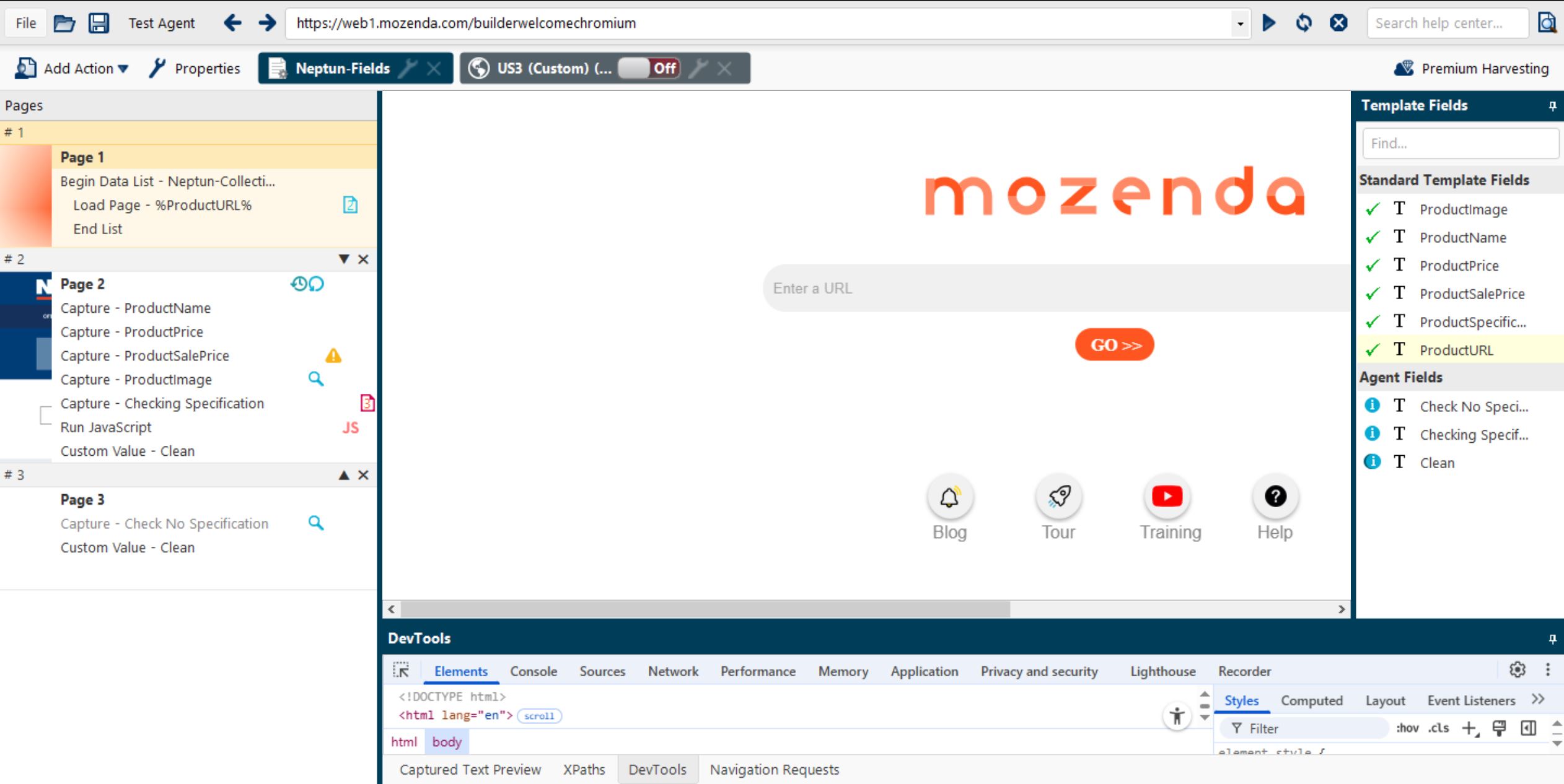
- Add Template Variables
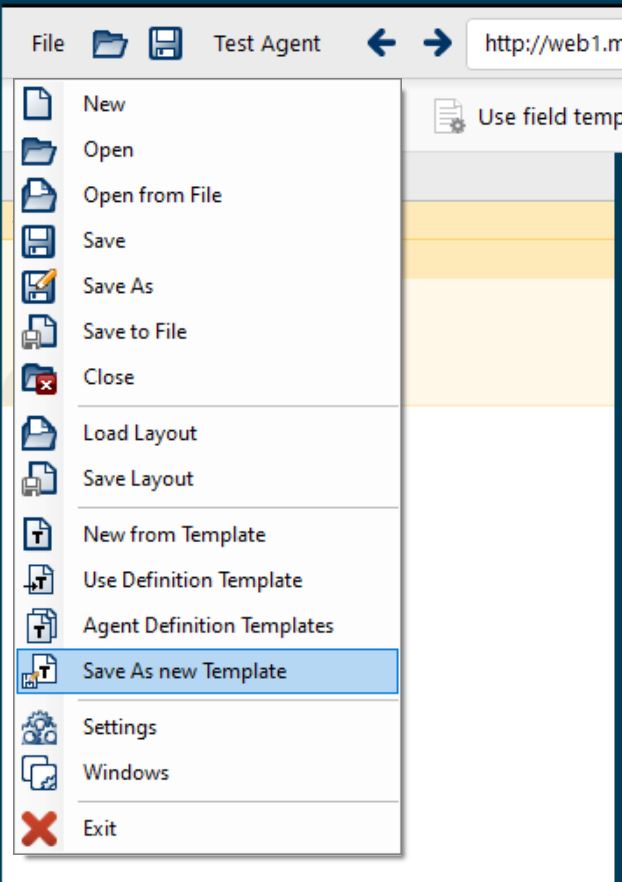
Replace specific values (like URLs, keywords, etc.) with variables in this format: %VariableName% - Save As Template
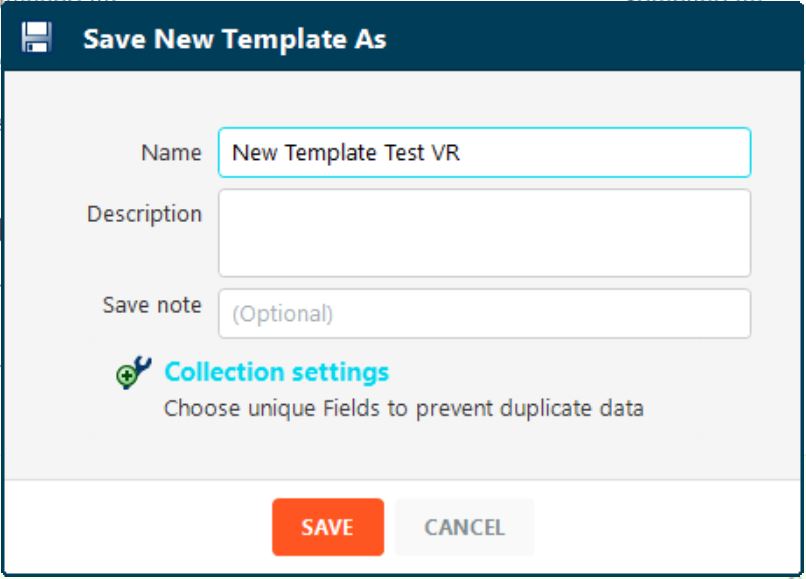
Go to File > Save As New Template
Get your template a clear name for future reference.
How to use a Template to Create a New Agent
-
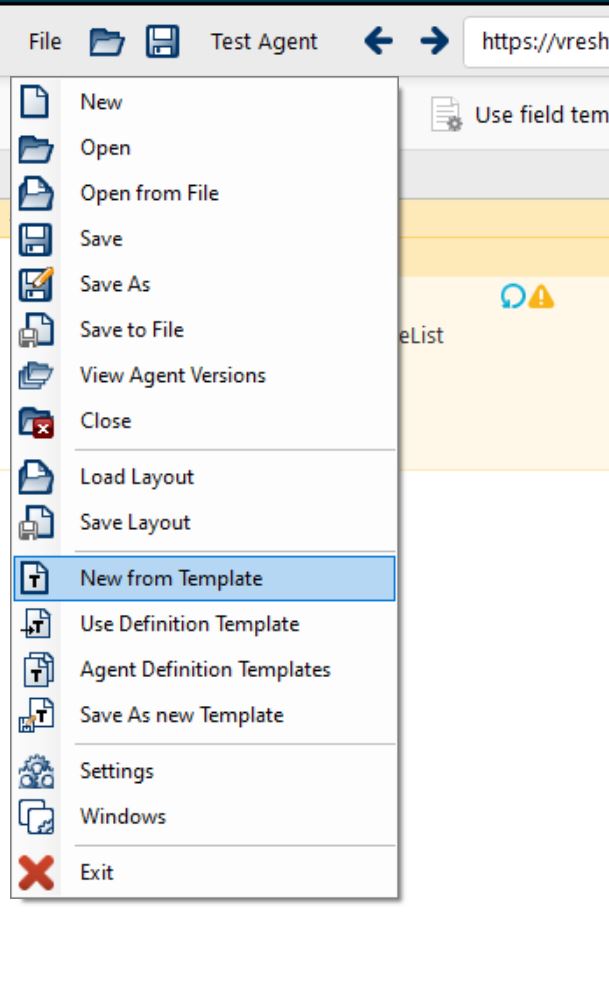
Navigate to File > New From Template
-
Select the template you created.
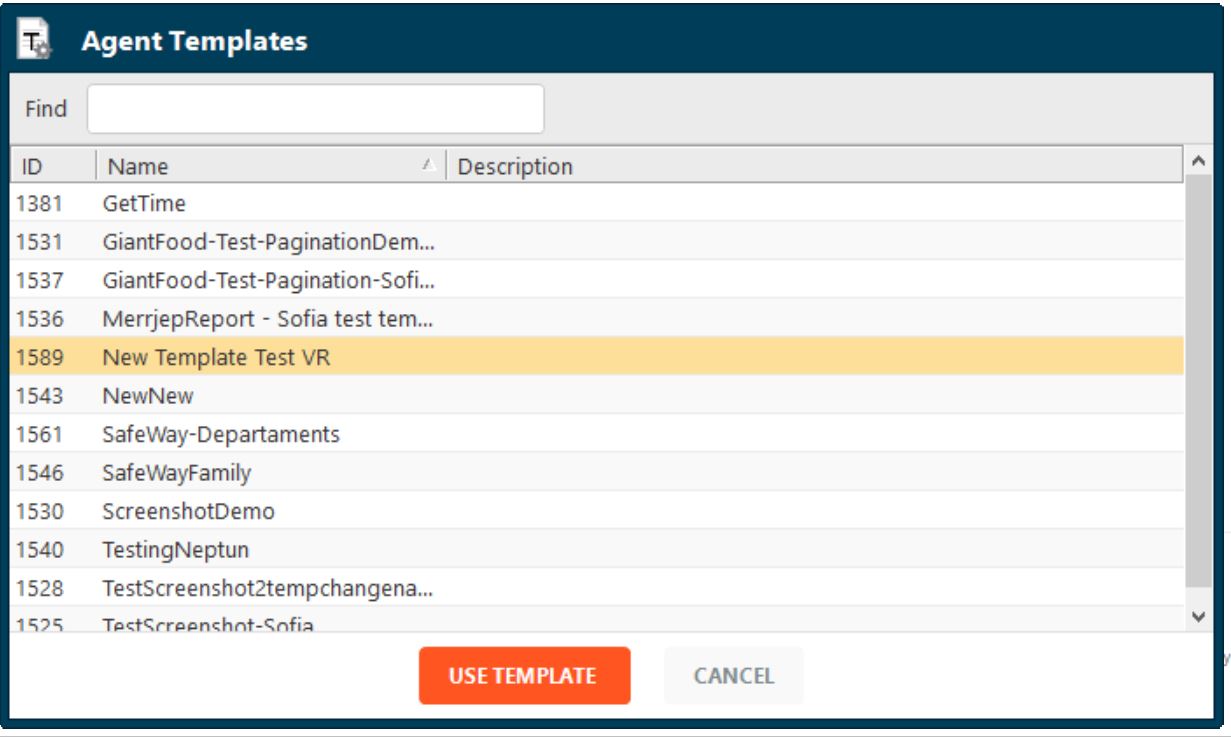
-
Define the override values for the variables (e.g. different input lists, categories or domains)
-
Save the agent — it now inherits the full structure of the template but can function independently.
How Template Changes Work?
Any updates to a template will be reflected in all agents inheriting from it.
These changes are applied only when the agent:
- Is restarted
- Is resumed from a paused state
- Encounters an error and retries
This ensures live agents are not interrupted, while still staying up to date with template changes.